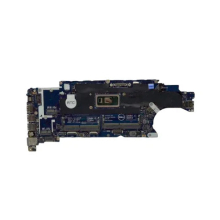
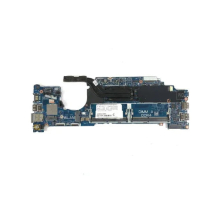
Please allow ~2-3 weeks to dispatch for quality control. Product images are for illustrative purposes only and may contain AI-generated content; they may not represent the final product you receive. Products are subject to the cosmetic grading policy detailed here.
If you are ordering a device that does not include a Windows 11 licence as standard, please check Microsoft's minimum system requirements to confirm if it can be upgraded later should you wish to do so.
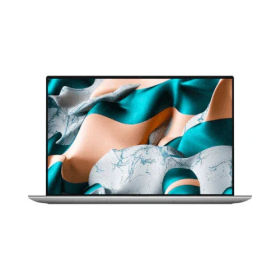


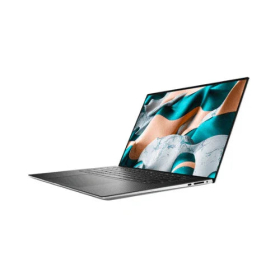


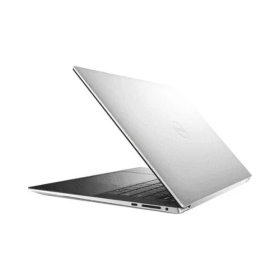
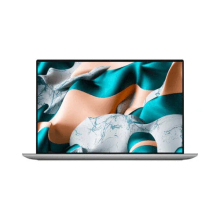
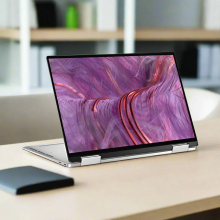
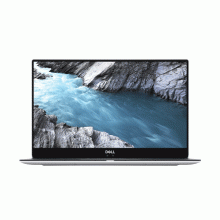
The Certified Refurbished Dell XPS 15 9500 is a premium 15.6-inch creator laptop combining Intel's 10th-generation Core i7-10750H — a 6-core, 12-thread processor boosting to 5.0GHz — with an NVIDIA GeForce GTX 1650 Ti 4GB dedicated GPU, 16GB of DDR4 RAM, and a 512GB NVMe SSD. Because this machine was purpose-built for creative professionals, it ships with a stunning 4K UHD+ touch display covering 100% Adobe RGB and 94% DCI-P3, which means colour accuracy that genuinely rivals purpose-built design workstations. The slim aluminium and carbon fibre chassis measures just 18mm thick, therefore you get workstation-class performance in a chassis lighter than most 15-inch laptops. Tested and restored to full working condition in January 2026, this 2020-era XPS 15 remains a compelling choice for creative work, content production, and demanding productivity.
Ideal For
Photographers and graphic designers who need a calibrated, wide-colour-gamut display for editing in Lightroom, Photoshop, or Illustrator. Video editors working in Premiere Pro or DaVinci Resolve who need a dedicated GPU to accelerate rendering and playback. Developers running resource-heavy IDEs, virtual machines, or Docker containers alongside a browser with 20+ tabs. Not suited to hardcore gaming requiring an RTX-class GPU or 3D rendering that would benefit from a workstation-grade card.
Key Features & Benefits
- Intel Core i7-10750H (6 cores / 12 threads, up to 5.0GHz): Handles multi-threaded workloads — video exports, batch photo processing, compiling code — without the throttling you'd experience on a quad-core laptop chip.
- NVIDIA GeForce GTX 1650 Ti 4GB GDDR6: Delivers GPU-accelerated performance in creative applications and handles 1080p gaming at medium-to-high settings. Substantially more capable than integrated graphics, though newer RTX 30/40-series laptops will outperform it in ray-traced workloads.
- 16GB DDR4 Dual-Channel at 2933MHz: Enough headroom for video timelines, large Photoshop files, and multiple applications simultaneously — the practical sweet spot for creative and developer workflows.
- 512GB NVMe SSD (PCIe 3.0 x4): Fast sequential read/write speeds that make opening large project files and exporting assets noticeably quicker than SATA-based SSDs. A second M.2 slot is user-accessible for future storage expansion.
- 15.6" 4K UHD+ Touch Display (3840×2400), 100% Adobe RGB, 500 nits, HDR 400: The 16:10 aspect ratio gives more vertical screen real estate than standard 16:9 panels — genuinely useful for document work, coding, and editing timelines. Anti-reflective and anti-smudge coating reduces glare in office environments.
- Killer AX1650 Wi-Fi 6 (802.11ax): Wi-Fi 6 compatibility means faster, more stable wireless on modern routers — relevant for large file transfers and cloud-based workflows.
- Backlit Keyboard with Fingerprint Reader: Comfortable full-size keyboard for low-light use; fingerprint reader integrates with Windows Hello for secure, passwordless login.
- Thunderbolt 3 x2 + USB 3.2 Gen 2 Type-C + Full SD Card Reader: A strong port selection for a thin laptop — Thunderbolt 3 supports 40Gbps data transfer, external 4K/5K displays, and eGPU enclosures if you ever need more graphical horsepower.
Common Questions
Can the XPS 15 9500 handle video editing?
Yes, comfortably for most workflows. In our testing, the i7-10750H paired with the GTX 1650 Ti handles 1080p and 4K timeline editing in Premiere Pro and DaVinci Resolve without major dropped frames during playback, particularly with hardware acceleration enabled. Exports are significantly faster than on integrated-graphics laptops. It's not at the level of an RTX 3060 or 3070 machine, but for independent creators and photographers, the performance-to-price ratio is strong.
Is the 4K display worth it over the FHD+ model?
For colour-critical creative work — photo editing, graphic design, colour grading — the 4K UHD+ panel's 100% Adobe RGB coverage and HDR 400 capability make a meaningful difference to what you see on screen. The trade-off is that driving 3840×2400 pixels puts more load on the GPU, which affects gaming frame rates. For general productivity users, the FHD+ model is sufficient; for creatives, the 4K panel is the reason to choose this configuration.
How does the GTX 1650 Ti hold up in 2026?
For its intended use cases — creative software acceleration, light gaming, and GPU compute tasks — the 1650 Ti with 4GB GDDR6 remains competent. In our testing across hundreds of units, it handles Photoshop GPU filters, After Effects previews, and games like CS2 or Fortnite at 1080p medium settings without issue. It's outclassed by RTX 40-series mobile GPUs in newer machines, but at a verified refurbished price point, the performance-per-dollar remains hard to beat.
Technical Specifications
At a Glance
- Type: 15.6-inch premium creator / productivity laptop
- Performance: Intel Core i7-10750H (2.6GHz base / 5.0GHz boost, 6 cores / 12 threads, 12MB cache) + 16GB DDR4 Dual-Channel at 2933MHz
- Graphics: NVIDIA GeForce GTX 1650 Ti 4GB GDDR6 + Intel UHD Graphics 630 (switchable)
- Storage: 512GB M.2 NVMe PCIe 3.0 x4 SSD — substantially faster than SATA SSDs for large file operations; second M.2 slot available for expansion
- Display: 15.6" 4K UHD+ Touch (3840×2400), IPS, 500 nit, HDR 400, 100% Adobe RGB, 94% DCI-P3, 1600:1 contrast, anti-reflective, 16:10 aspect ratio
- Wireless: Killer AX1650 Wi-Fi 6 (802.11ax) + Bluetooth 5.1
- Ports: 2× Thunderbolt 3 (USB-C, 40Gbps, DisplayPort, Power Delivery), 1× USB 3.2 Gen 2 Type-C (DisplayPort, Power Delivery), full-size SD card reader, 3.5mm headphone/mic combo
- Webcam: Yes (720p)
- Keyboard: Backlit, full-size with fingerprint reader
- Operating System: Windows 11 Pro (64-bit)
- Dimensions: 344.7 × 230.1 × 18 mm
- Weight: 1.83 kg
- Best use: Photo and video editing, graphic design, software development, demanding multitasking, light gaming
- Not recommended for: AAA gaming at high settings, 3D rendering requiring RTX-class GPU, users needing a HDMI or USB-A port without a dongle
Performance & Real-World Use
After processing numerous XPS 15 9500 units through our refurbishment workflow, we consistently find this configuration punches above its class for creative workloads. The i7-10750H sustains its performance under load better than many consumer laptops of the same era, because Dell's thermal design in the 9500 allows the six cores adequate headroom. The GTX 1650 Ti meaningfully accelerates GPU-dependent tasks in Adobe and DaVinci software compared to integrated-only machines. The 4K touch panel is the standout feature — colour accuracy and brightness hold up well even after corporate use, and in our testing we see consistent results across units. The slim, machined aluminium chassis shows its quality in the hand; even cosmetically worn examples retain structural rigidity.
Operating System
Ships with Windows 11 Pro (64-bit), fully licensed and activated. Windows 11 Pro receives security updates through at least 2026 and includes BitLocker encryption, Remote Desktop, and Hyper-V virtualisation — features relevant to business and developer users. No upgrade required; this unit runs Windows 11 natively.
Cosmetic Condition Guide
Reboot IT grades all laptops across three cosmetic tiers — Excellent (A), Good (B), and Fair (C) — based on screen quality, body wear, keyboard condition, and hinge integrity. All grades are fully tested and functional; grading reflects appearance only.
- Excellent: Very minor scuffing only, no dents, clear keyboard lettering, zero dead pixels. Near-new aesthetics — suited to client-facing use.
- Good: Visible scratches and scuffing, up to 3 small dents, heavier keyboard wear, 1–3 dead pixels possible. Fully functional for home office and everyday creative use.
- Fair: Multiple scratches, larger dents, heavy keyboard wear, up to 5 dead pixels possible. Best for stationary desk setups where cosmetics are not a priority.
Verified Reboot Refurb Quality Assurance
Every Dell XPS 15 9500 processed by Reboot IT undergoes a comprehensive inspection covering CPU performance, memory integrity, NVMe SSD health, GPU functionality, display quality including colour output and dead pixel checks, all ports and connectivity, keyboard, trackpad, webcam, and Wi-Fi. Units are stress-tested under sustained load to verify thermal and hardware stability, and all previous data is securely wiped before OS reinstallation. Components that fail inspection are replaced with verified parts before grading — tested January 2026.
Warranty & Support
1-year warranty provided by Reboot IT for your complete peace of mind. Australia's trusted refurbished IT specialist since 2001, backed by a local support team.
This configuration suits creative professionals, developers, and power users who want a premium large-format laptop with a colour-accurate 4K display and dedicated graphics, without new-device pricing — backed by Reboot IT's 1-year warranty and 20+ years of refurbishment expertise.
Backlit Keyboard |
| Bluetooth |
| Built-in Webcam |
| Wi-Fi |
| Audio Output | Integrated |
| Brand | Dell |
| Bundle Description | None |
| Colour | Silver |
| Custom Bundle | No |
| GPU | NVIDIA GeForce GTX 1650 Ti (4 GB) |
| Graphics Processing Type | Dedicated Graphics |
| Hard Drive Capacity | 512GB |
| Item Height | 18mm |
| Item Length | 356mm |
| Item Weight | 1.84kgs |
| Item Width | 235mm |
| Manufacturer Warranty | 1 Year |
| Processor | Intel Core i7-10750H |
| Processor Model | 10750H |
| Memory Type | DDR4 SODIMM |
| Model | XPS 15 9500 |
| MPN | NONE |
| Operating System | Windows 11 Pro |
| Operating System Edition | Windows 11 Pro |
| Optical Drive | None |
| Other Software | None |
| Part Number | None |
| Max Turbo Speed | 5.00 GHz |
| Processor Speed | 2.60GHz |
| RAM Size | 16GB |
| Release Date | 2020 |
| Release Year | 2020 |
| Screen Size | 15.6 in |
| SSD Capacity | 512GB |
| Storage Type | NVMe SSD |
| Connectivity | Wi-Fi 6 (802.11ax)|Bluetooth |
| Features | Touchscreen|Built-in Webcam|Bluetooth |
| Maximum Resolution | 3840x2400 |
| Most Suitable For | Casual Computing|Graphic Design|Office|Gaming |
| RAM Type | DDR4 SODIMM |
| Series | XPS |
| Type | Notebook/Laptop |
| Webcam | YES |
| L2 Cache | 12MB |
| Cores | 6 |
| Maximum RAM Capacity | 32GB |
Refurbished Computers - Cosmetic Grading Guide
Our supplier's refurbished hardware is typically graded either "Excellent" or "Good", however, some legacy products were graded under a letter grading system (A, B, C). Please find the definitions for each grade below and contact us if you're uncertain of a device's grade.
Used Smartphone / Refurbished Mobile Phones
"Excellent" Grade
Devices in this category appear like new, with very minor wear. Expect light or fine scratches on the screen that are shallow enough not to catch on a fingernail. The edge around the glass is virtually flawless, save for possible light scratching around the power port. The back plate may show light/fine scratches, including on the Apple logo, with any discoloration being minimal.
"Good" Grade
These devices are characterized by being fully tested and functional even if they have body scratches, minor paint chips, or a small hairline crack on the screen. Screens are free from dead pixels but may exhibit slight scratching from moderate use.
Refurbished Desktops, Laptops and Monitors
"Excellent" Grade - Laptops
Reserved for units that show barely any signs of previous use, these laptops may exhibit very minor scuffing or abrasions, associated only with minimal standard use. The keyboards show light wear, and importantly, the screens are pristine, free from any scratches, cracks, chips, dead pixels, dark spots, discoloration, or blemishes.
"Excellent" Grade - Desktops
Desktop PCs in the "Excellent" grade category are free from deep scratches, cracks, paint chips, or any broken/missing pieces, ensuring a sleek and almost-new aesthetic.
"Excellent" Grade - Monitors
"Excellent" grade is reserved for units that show evidence of very little to no previous use. Any wear on an "Excellent" Display, including housing/frame and/or external surfaces (i.e. Frame) is associated with standard minimal use. "Excellent" units may have minor scuffing and / or minor abrasions on plastics with from standard light previous use."Excellent" Displays will feature no scratches, cracks, chips, dead pixels, dark spots, discoloration or blemishes. Units will only feature the standard minimal wear and tear that is associated with a used unit.
"Good" Grade - Laptops
"Good" laptops may feature one or several small dings or dents on covers and / or small paint chips on the surface or small hairline cracks in the bezel. Laptop screens may feature uneven light diffusion in screen and may feature subtle blemishes. "Good" Laptops will not feature cracks screens but may feature slight scratching, dead pixels or white spots on the screen.
"Good" Grade - Desktops
"Good" grade desktops may have light scratches on external body and may feature more excessive unit housing and/or external case wear than "Excellent" units, including wear on case / lid. "Good" PCs may feature one or several small dings or dents on covers and / or small paint chips on the surface.
"Good" Grade - Monitors
Displays in the "Good" grade have been fully tested and are functional but may include scratches on body, small paint chips, minor cracks on body, loose and/or wobbly bases. "Good" Display screens may feature uneven light diffusion in screen and may feature subtle to moderate blemishes. "Good" Displays will not feature cracks on screens but may feature slight scratching on screen surfaces from moderate use or wear, dead pixels or white spots on the screen.
Legacy letter grading
Used Smartphone / Refurbished Mobile Phones
A Grade
- No chips, scratches or cracks on the front glass and housing
- No missing or alternative parts
- No sign of liquid damage
- Battery cannot be swollen
B Grade – Same as A Grade except:
- May have light scuffs but no chips or cracks
- Light scratches on housing or front glass
C-Grade – Same as B Grade except:
- Unlimited long shallow scratches on the front glass
- No chips or cracks on the front glass
- Unlimited scratches, chips/dents on back cover housing and corners
- Minor cracks allowed
- Customized housing and aftermarket covers allowed
Refurbished Desktops, Laptops and Monitors
A-Grade
- Overall excellent to very good cosmetic condition. Some may be pristine, others may have light scratches or minor blemishes
- Laptops may have some shiny areas around the keyboard such as the space bar, touchpad or touchpad buttons
- Keyboard keys will be in excellent condition
- Laptop and monitor screens will be blemish free
- Cosmetic blemishes will not impact the overall functionality or performance of the device
B-Grade
- Will have some cosmetic blemishes that include scratches and/or other imperfections
- Minor scratches and dents on the housing
- Laptops may have shiny keys or shiny surfaces around the keyboard however all characters will be legible
- Laptop and monitors screens will have imperfections such as minor scratches, minor chips and/or white spots. There will be no cracking on the screen
- Have the same warranty as A Grade
- Pricing will be cheaper than A Grade
C-Grade
- Same as B-Grade except may have unlimited scratches/blemishes on the screen
- May have cracks/chips or dents on the housing
- Have the same warranty as A Grade
- Pricing will be cheaper than B Grade