Please allow ~2-3 weeks to dispatch for quality control. Product images are for illustrative purposes only and may contain AI-generated content; they may not represent the final product you receive. Products are subject to the cosmetic grading policy detailed here.
If you are ordering a device that does not include a Windows 11 licence as standard, please check Microsoft's minimum system requirements to confirm if it can be upgraded later should you wish to do so.
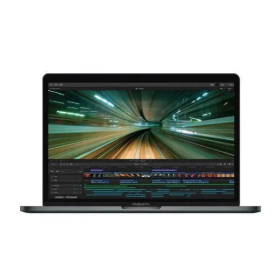


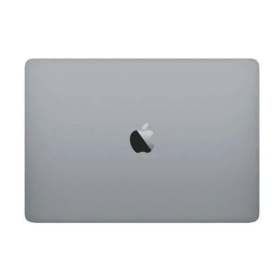
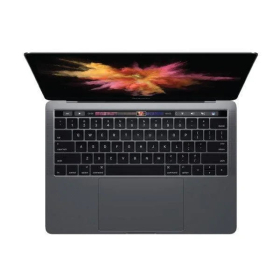

This refurbished 2017 MacBook Pro delivers professional-grade performance with quad-core Intel i7 processing, ample 16GB memory, and blazing-fast 512GB NVMe storage. Perfect for creative professionals, developers, and power users who demand reliability and performance. Features the innovative Touch Bar interface and comprehensive Thunderbolt 3 connectivity. Important note: This unit has LCD burn-in on the left side of the display and is sold as-is with no returns on the screen defect. Ideal for external monitor setups or LCD replacement projects. Backed by Reboot IT's 12-month warranty covering all other components and functionality.
What Makes the Apple MacBook Pro A1707 a Premium Creative Professional Choice?
- Seventh-Generation Intel Core i7-7700HQ Processor: Quad-core architecture with 2.8GHz base frequency and Turbo Boost up to 3.8GHz delivers exceptional performance for video editing, 3D rendering, software development, and demanding creative applications.
- Professional-Grade Memory Configuration: 16GB of high-speed LPDDR3 RAM ensures seamless multitasking between resource-intensive applications like Final Cut Pro, Adobe Creative Suite, Xcode, and multiple virtual machines without performance bottlenecks.
- Lightning-Fast NVMe SSD Storage: The 512GB solid-state drive provides read speeds up to 3.2GB/s and write speeds up to 2.2GB/s, dramatically reducing boot times, application launches, and file transfers compared to traditional hard drives.
- Innovative Touch Bar Technology: Context-sensitive OLED strip replaces traditional function keys, providing dynamic controls that adapt to your current application — from Final Cut Pro timeline scrubbing to Photoshop tool selection and system shortcuts.
- Comprehensive Thunderbolt 3 Connectivity: Four versatile USB-C ports support 40Gbps data transfer, dual 5K external displays, external GPU enclosures, high-speed storage arrays, and power delivery through a single cable connection.
- Radeon Pro 555 Dedicated Graphics: 2GB GDDR5 video memory accelerates graphics-intensive tasks including video rendering, photo processing, CAD applications, and moderate gaming performance while maintaining excellent power efficiency.
How Does the Apple MacBook Pro A1707 Perform in Daily Professional Use?
The MacBook Pro A1707 excels in professional creative workflows where processing power and memory capacity are critical. The Intel i7-7700HQ processor handles 4K video editing in Final Cut Pro or Premiere Pro with smooth real-time playback, while the 16GB RAM allows simultaneous operation of multiple Adobe Creative Cloud applications. The fast NVMe storage eliminates waiting time when working with large project files, RAW photo libraries, or complex software development environments.
For software developers and IT professionals, this configuration supports running multiple Docker containers, virtual machines, and development environments simultaneously. The MacBook Pro maintains excellent thermal management under sustained workloads, with the advanced cooling system keeping noise levels reasonable during intensive tasks. The machine handles typical professional workloads including large Excel spreadsheets, database management, web development with multiple browsers and servers, and video conferencing while maintaining responsive performance.
Battery life varies significantly depending on workload intensity, with light productivity tasks achieving 6-8 hours of use, while video editing and intensive development work may require charging every 3-4 hours. The efficient Kaby Lake architecture and macOS power management optimize performance per watt for the best possible battery efficiency given the high-performance components.
Complete Technical Specifications
| Processor | Intel Core i7-7700HQ (7th Gen Kaby Lake) 4 Cores / 8 Threads 2.8GHz Base / 3.8GHz Turbo Boost 6MB Smart Cache |
| Memory (RAM) | 16GB LPDDR3-2133MHz Dual Channel Configuration Soldered (Non-Upgradeable) |
| Storage | 512GB NVMe PCIe SSD Read: ~3,200 MB/s Write: ~2,200 MB/s Custom Apple Controller |
| Display | 15.4" Retina IPS LCD 2880 x 1800 Resolution (220 PPI) True Tone Technology 500 nits Brightness Wide P3 Color Gamut Note: LCD burn-in present on left side |
| Graphics | Intel HD Graphics 630 (Integrated) AMD Radeon Pro 555 (Discrete) 2GB GDDR5 Video Memory Automatic Graphics Switching |
| Ports & Connectivity | 4x Thunderbolt 3 (USB-C) 1x 3.5mm Headphone Jack No Legacy USB-A or HDMI |
| Wireless | 802.11ac Wi-Fi (3x3 MIMO) Bluetooth 4.2 No Ethernet Port |
| Input Devices | Touch Bar with Touch ID Butterfly Keyboard (2nd Generation) Force Touch Trackpad |
| Audio | Stereo Speakers Wide Stereo Sound 3-Microphone Array 3.5mm Headphone Output |
| Camera & Security | 720p FaceTime HD Camera Touch ID Fingerprint Sensor Apple T1 Security Chip |
| Battery | 76Wh Lithium-Polymer Built-in Non-Removable 87W USB-C Power Adapter |
| Dimensions & Weight | 34.93 x 24.07 x 1.55 cm 1.83 kg (4.03 lbs) Space Gray Finish |
| Operating System | macOS (Compatible up to macOS Monterey) Windows 11 via Boot Camp Not Supported |
| Model Identifiers | Model: A1707 EMC: 3162 MacBookPro14,3 |
Is the Apple MacBook Pro A1707 Right for Your Needs?
|
✓ Best For: • Creative professionals using Adobe Creative Suite, Final Cut Pro, Logic Pro • Software developers working with Xcode, virtual machines, Docker containers • Users planning external monitor setups who can overlook display defect • LCD replacement projects or technical repair enthusiasts • Professionals needing Thunderbolt 3 connectivity for high-speed peripherals |
✗ Not Recommended For: • Users requiring pristine internal display for primary work • Buyers seeking budget-friendly laptops without display defects • Gaming enthusiasts needing dedicated high-performance graphics • Windows-primary users (limited Boot Camp support for Windows 11) • Users requiring extensive legacy port connectivity without adapters |
Understanding Condition Grades and Battery Health
Reboot IT uses a transparent three-tier grading system to help you understand exactly what to expect from your refurbished MacBook Pro. Each grade reflects the cosmetic condition and battery performance, with all functional components tested and certified regardless of grade.
| A — Excellent | Minimal signs of use, no visible scratches or dents | 70%+ of original capacity |
| B — Good | Light wear marks, minor scratches, fully functional | 50-70% of original capacity |
| C — Fair | Visible wear, scratches up to 5cm, may have cosmetic imperfections | Under 50% of original capacity |
All batteries are tested for actual capacity and performance. The original MacBook Pro A1707 battery design capacity is 76Wh. Battery health is covered by a separate 30-day warranty as batteries are consumable components that naturally degrade over time. Reboot IT's Verified Refurb standard requires minimum 70% battery capacity for certification.
Frequently Asked Questions About the Apple MacBook Pro A1707
What warranty coverage is included with this MacBook Pro?
This MacBook Pro includes a comprehensive 12-month warranty from Reboot IT covering all hardware components and functionality except the LCD screen defect (sold as-is). Batteries have a separate 30-day warranty period.
Can I connect external monitors to work around the LCD burn-in issue?
Absolutely. All four Thunderbolt 3 ports support external displays, including dual 5K monitors simultaneously. Many professionals use external monitors as their primary display, making this an excellent value proposition despite the LCD defect.
Is the keyboard susceptible to the butterfly keyboard reliability issues?
This 2017 model uses the second-generation butterfly keyboard, which had some reliability concerns in the original design. However, our refurbishment process includes thorough keyboard testing and cleaning to ensure proper function.
What's the battery life expectation for different grades?
Grade A units (70%+ capacity) typically provide 5-8 hours of mixed use. Grade B units (50-70% capacity) offer 3-5 hours depending on workload. Grade C units (under 50%) may require frequent charging or battery replacement for optimal experience.
Can this MacBook Pro run Windows 11 via Boot Camp?
No, Apple's Boot Camp Assistant doesn't support Windows 11 on Intel MacBook Pros. Windows 10 is the latest supported version, though virtualization software like Parallels Desktop can run Windows 11 within macOS.
What adapters do I need for connecting legacy devices?
You'll need USB-C adapters for USB-A devices, HDMI output, SD cards, and Ethernet connections. Apple and third-party manufacturers offer comprehensive adapter solutions and dock stations.
What's the maximum macOS version this model supports?
The MacBook Pro A1707 officially supports up to macOS Monterey (12.x). It cannot run macOS Ventura or newer versions due to Apple's compatibility restrictions for Intel-based Macs of this generation.
Warranty and After-Sales Support
Your MacBook Pro A1707 is protected by Reboot IT's comprehensive 12-month warranty, covering all hardware components, motherboard, processor, memory, storage, ports, and wireless functionality. The warranty excludes the existing LCD burn-in defect, which is sold as-is with no returns accepted for this specific screen condition.
Battery performance is covered separately under a 30-day warranty period, as batteries are consumable components that naturally degrade with age and use cycles. Warranty claims are processed through Reboot IT's dedicated support team, with repair or replacement options available for covered defects.
As Australia's trusted refurbished computer specialist since 2001, Reboot IT stands behind every device with professional after-sales support and technical assistance. Our Verified Refurb certification ensures this MacBook Pro has undergone rigorous testing and quality assurance before reaching you.
Upgradeability and Compatibility Options
The MacBook Pro A1707 features a largely sealed design with limited user-serviceable components. The 16GB LPDDR3 memory is soldered to the motherboard and cannot be upgraded after purchase. The 512GB NVMe SSD uses Apple's proprietary connector and while technically replaceable, requires specialized tools and compatible drives.
For expanded storage, external Thunderbolt 3 SSDs provide excellent performance matching internal drive speeds. The four Thunderbolt 3 ports support extensive connectivity including external GPU enclosures for enhanced graphics performance, though macOS support for eGPUs varies by model and software.
This model is not eligible for Windows 11 installation via Boot Camp, limiting its compatibility to Windows 10 or earlier versions. macOS compatibility extends through Monterey, providing several years of continued software support and security updates from Apple.
Touchscreen: No | Wi-Fi: Yes | Webcam: Yes |
| Brand | Apple |
| Bundle Description | None |
| Colour | Space Gray |
| Connectivity | USB-C|Thunderbolt 3|HDMI|3.5mm Headphone Jack|SD Card Slot |
| Custom Bundle | No |
| Features | Touchscreen:No|Wi-Fi:Yes|Webcam:Yes |
| GPU | Intel HD 630 Graphics |
| Graphics Processing Type | Laptop |
| Hard Drive Capacity | 512GB |
| Item Height | 15.5mm |
| Item Length | 358.9mm |
| Item Weight | 1.83kgs |
| Item Width | 247.1mm |
| Manufacturer Warranty | 3 Months |
| Maximum RAM Capacity | 16 GB |
| Model | MacBook Pro (14,3) |
| Most Suitable For | Casual Computing|Office|Graphic Design |
| Processor Model | CORE-I7 7700HQ 2.8 GHZ |
| Operating System | macOS Ventura |
| Processor | Intel Core i7 7th Gen. |
| Processor Speed | 2.80GHz |
| RAM Size | 16GB |
| Release Year | 2017 |
| Screen Size | 15.4 in |
| Series | MacBook Pro |
| SSD Capacity | 512GB |
| Storage Type | SSD (NVMe) |
| Type | Laptop |
| Part Number | None |
| Release Date | None |
| Max Turbo Speed | None |
| Cores | None |
| L2 Cache | None |
| RAM Type | LPDDR3 |
| Optical Drive | None |
| Maximum Resolution | 2880x1800 |
| Webcam | Yes |
| Audio Output | Integrated |
Refurbished Computers - Cosmetic Grading Guide
Our supplier's refurbished hardware is typically graded either "Excellent" or "Good", however, some legacy products were graded under a letter grading system (A, B, C). Please find the definitions for each grade below and contact us if you're uncertain of a device's grade.
Used Smartphone / Refurbished Mobile Phones
"Excellent" Grade
Devices in this category appear like new, with very minor wear. Expect light or fine scratches on the screen that are shallow enough not to catch on a fingernail. The edge around the glass is virtually flawless, save for possible light scratching around the power port. The back plate may show light/fine scratches, including on the Apple logo, with any discoloration being minimal.
"Good" Grade
These devices are characterized by being fully tested and functional even if they have body scratches, minor paint chips, or a small hairline crack on the screen. Screens are free from dead pixels but may exhibit slight scratching from moderate use.
Refurbished Desktops, Laptops and Monitors
"Excellent" Grade - Laptops
Reserved for units that show barely any signs of previous use, these laptops may exhibit very minor scuffing or abrasions, associated only with minimal standard use. The keyboards show light wear, and importantly, the screens are pristine, free from any scratches, cracks, chips, dead pixels, dark spots, discoloration, or blemishes.
"Excellent" Grade - Desktops
Desktop PCs in the "Excellent" grade category are free from deep scratches, cracks, paint chips, or any broken/missing pieces, ensuring a sleek and almost-new aesthetic.
"Excellent" Grade - Monitors
"Excellent" grade is reserved for units that show evidence of very little to no previous use. Any wear on an "Excellent" Display, including housing/frame and/or external surfaces (i.e. Frame) is associated with standard minimal use. "Excellent" units may have minor scuffing and / or minor abrasions on plastics with from standard light previous use."Excellent" Displays will feature no scratches, cracks, chips, dead pixels, dark spots, discoloration or blemishes. Units will only feature the standard minimal wear and tear that is associated with a used unit.
"Good" Grade - Laptops
"Good" laptops may feature one or several small dings or dents on covers and / or small paint chips on the surface or small hairline cracks in the bezel. Laptop screens may feature uneven light diffusion in screen and may feature subtle blemishes. "Good" Laptops will not feature cracks screens but may feature slight scratching, dead pixels or white spots on the screen.
"Good" Grade - Desktops
"Good" grade desktops may have light scratches on external body and may feature more excessive unit housing and/or external case wear than "Excellent" units, including wear on case / lid. "Good" PCs may feature one or several small dings or dents on covers and / or small paint chips on the surface.
"Good" Grade - Monitors
Displays in the "Good" grade have been fully tested and are functional but may include scratches on body, small paint chips, minor cracks on body, loose and/or wobbly bases. "Good" Display screens may feature uneven light diffusion in screen and may feature subtle to moderate blemishes. "Good" Displays will not feature cracks on screens but may feature slight scratching on screen surfaces from moderate use or wear, dead pixels or white spots on the screen.
Legacy letter grading
Used Smartphone / Refurbished Mobile Phones
A Grade
- No chips, scratches or cracks on the front glass and housing
- No missing or alternative parts
- No sign of liquid damage
- Battery cannot be swollen
B Grade – Same as A Grade except:
- May have light scuffs but no chips or cracks
- Light scratches on housing or front glass
C-Grade – Same as B Grade except:
- Unlimited long shallow scratches on the front glass
- No chips or cracks on the front glass
- Unlimited scratches, chips/dents on back cover housing and corners
- Minor cracks allowed
- Customized housing and aftermarket covers allowed
Refurbished Desktops, Laptops and Monitors
A-Grade
- Overall excellent to very good cosmetic condition. Some may be pristine, others may have light scratches or minor blemishes
- Laptops may have some shiny areas around the keyboard such as the space bar, touchpad or touchpad buttons
- Keyboard keys will be in excellent condition
- Laptop and monitor screens will be blemish free
- Cosmetic blemishes will not impact the overall functionality or performance of the device
B-Grade
- Will have some cosmetic blemishes that include scratches and/or other imperfections
- Minor scratches and dents on the housing
- Laptops may have shiny keys or shiny surfaces around the keyboard however all characters will be legible
- Laptop and monitors screens will have imperfections such as minor scratches, minor chips and/or white spots. There will be no cracking on the screen
- Have the same warranty as A Grade
- Pricing will be cheaper than A Grade
C-Grade
- Same as B-Grade except may have unlimited scratches/blemishes on the screen
- May have cracks/chips or dents on the housing
- Have the same warranty as A Grade
- Pricing will be cheaper than B Grade