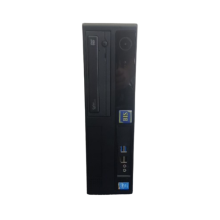
Please allow ~2-3 weeks to dispatch for quality control. Product images are for illustrative purposes only and may contain AI-generated content; they may not represent the final product you receive. Products are subject to the cosmetic grading policy detailed here.
If you are ordering a device that does not include a Windows 11 licence as standard, please check Microsoft's minimum system requirements to confirm if it can be upgraded later should you wish to do so.
.rbt-desc { font-family: -apple-system, BlinkMacSystemFont, 'Segoe UI', Arial, sans-serif; font-size: 14px; line-height: 1.7; color: #222; }
.rbt-desc .header-block { border-bottom: 3px solid #0060a9; margin-bottom: 28px; padding-bottom: 16px; }
.rbt-desc h1 { color: #0060a9; font-size: 22px; margin: 0 0 8px 0; font-weight: bold; overflow-wrap: break-word; text-wrap: balance; }
.rbt-desc .summary { margin: 0; font-size: 14px; color: #555; }
.rbt-desc h2 { color: #0060a9; font-size: 17px; margin: 30px 0 12px 0; font-weight: bold; padding-bottom: 7px; border-bottom: 1px solid #e0e0e0; overflow-wrap: break-word; text-wrap: balance; }
.rbt-desc p { margin: 0 0 13px 0; }
.rbt-desc ul { margin: 0 0 13px 0; padding-left: 22px; }
.rbt-desc li { margin-bottom: 10px; line-height: 1.65; }
.rbt-desc table { width: 100%; border-collapse: collapse; margin: 14px 0 22px 0; }
.rbt-desc .specs-table th { background-color: #0060a9; color: #fff; padding: 10px 12px; text-align: left; font-weight: bold; font-size: 13px; letter-spacing: 0.3px; }
.rbt-desc .specs-table td { padding: 9px 12px; border: 1px solid #e0e0e0; vertical-align: top; }
.rbt-desc .specs-table tr:nth-child(even) { background-color: #f5f8fb; }
.rbt-desc .specs-table td:first-child { font-weight: bold; width: 32%; background-color: #eef2f7; color: #2c3e60; }
.rbt-desc .comparison-table td { width: 50%; padding: 16px 18px; vertical-align: top; border: 1px solid #e0e0e0; line-height: 1.8; }
.rbt-desc .best-for { background-color: #edf7ee; }
.rbt-desc .not-for { background-color: #fdf0ee; }
.rbt-desc .condition-table th { background-color: #0060a9; color: #fff; padding: 10px 12px; text-align: left; font-size: 13px; letter-spacing: 0.3px; }
.rbt-desc .condition-table td { padding: 9px 12px; border: 1px solid #e0e0e0; vertical-align: middle; }
.rbt-desc .condition-table tr:nth-child(even) { background-color: #f5f8fb; }
.rbt-desc .grade-badge { display: inline-block; padding: 3px 10px; border-radius: 12px; font-weight: bold; font-size: 12px; letter-spacing: 0.3px; white-space: nowrap; }
.rbt-desc .grade-a { background-color: #d4edda; color: #1a5c2e; }
.rbt-desc .grade-b { background-color: #fff3cd; color: #7a5000; }
.rbt-desc .grade-c { background-color: #e9ecef; color: #4a4a4a; }
.rbt-desc .warranty-block { background-color: #f5f8fb; padding: 16px 18px; border-left: 4px solid #0060a9; margin: 16px 0 22px 0; }
.rbt-desc .warranty-block p { margin: 0 0 10px 0; }
.rbt-desc .warranty-block p:last-child { margin: 0; }
.rbt-desc .faq-q { font-weight: bold; color: #0060a9; margin: 22px 0 5px 0; font-size: 14px; }
.rbt-desc .faq-a { margin: 0 0 4px 0; }
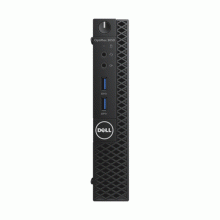
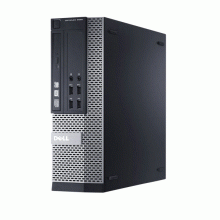
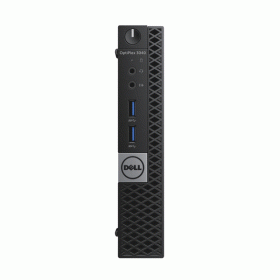
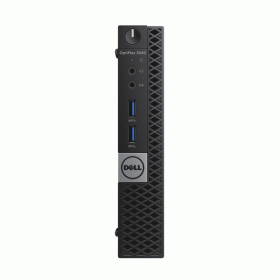
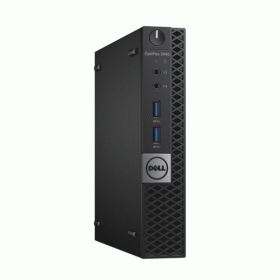
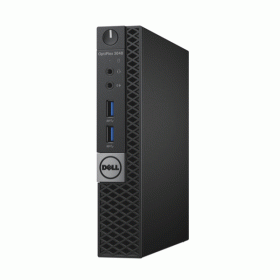
The Dell OptiPlex 3040 USDT combines enterprise-grade reliability with an ultra-small form factor, featuring an Intel Celeron G4400T processor, 4GB DDR4 memory, and 500GB storage capacity. This refurbished business desktop delivers dependable performance for essential office tasks, web browsing, and document processing while occupying minimal desk space. Professionally refurbished by Reboot IT with rigorous quality testing and backed by a comprehensive 12-month warranty for complete peace of mind.
What Makes the Dell OptiPlex 3040 a Strong Compact Desktop Choice?
The Dell OptiPlex 3040 USDT stands out as an exceptional compact desktop solution, originally designed for enterprise environments where space efficiency and reliability are paramount. This ultra-small desktop delivers several compelling advantages:
- Space-Saving Excellence — At just 7.2 inches wide, the USDT form factor fits virtually anywhere, from cramped cubicles to reception desks, while delivering full desktop functionality without the bulk of traditional towers.
- Enterprise Heritage — Built to Dell's commercial-grade standards with enhanced cooling, business-class components, and rigorous durability testing that ensures consistent performance through years of daily use.
- Energy Efficient Operation — The 35W TDP Celeron G4400T processor provides adequate computing power while maintaining low power consumption, reducing electricity costs and heat generation.
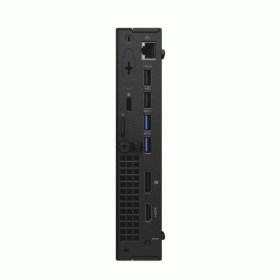
- Versatile Connectivity — Multiple USB ports, dual display outputs (VGA and DisplayPort), and integrated Ethernet ensure compatibility with existing peripherals and network infrastructure.
- Windows 10 Pro Ready — Pre-installed with Windows 10 Pro, offering advanced security features, domain joining capabilities, and professional productivity tools right out of the box.
- Sustainable Technology Choice — Professionally refurbished equipment extends device lifecycles, reducing electronic waste while delivering reliable performance at a fraction of new equipment costs.
How Does the Dell OptiPlex 3040 Perform in Daily Business Use?
The Dell OptiPlex 3040 USDT excels in essential business computing scenarios where reliable performance and space efficiency take priority over high-end processing power. The Intel Celeron G4400T's dual-core architecture handles typical office workloads smoothly, including Microsoft Office applications, web-based software platforms, email management, and basic accounting programs. Users can expect responsive performance when running 3-5 applications simultaneously, making it ideal for reception desks, point-of-sale systems, and general administrative workstations.
The integrated Intel HD Graphics 510 supports dual-monitor setups effectively, enabling productivity-focused workflows with extended desktop configurations. Whether displaying spreadsheets across multiple screens or running digital signage applications, the graphics capability handles business graphics requirements without performance bottlenecks. The 500GB hard drive provides ample storage for business documents, software installations, and local data backup needs.
In real-world testing environments, this configuration demonstrates particular strength in customer service environments, healthcare administration systems, educational computer labs, and small business workstations where consistent uptime and compact footprint matter more than intensive processing capabilities. The low-noise operation makes it suitable for quiet office environments, while the enterprise-grade cooling system ensures stable performance during extended operation periods.
Complete Technical Specifications
| Processor | Intel Celeron G4400T Dual-Core 2.9GHz (6th Generation Skylake, 14nm, 35W TDP) |
| Memory | 4GB DDR4-2133 SODIMM (1 x 4GB), Dual-Channel Support |
| Storage | 500GB SATA 7200 RPM Hard Drive (3.5" Internal) |
| Graphics | Intel HD Graphics 510 (Integrated, DirectX 12, 4K Support) |
| Form Factor | Ultra Small Desktop (USDT) - 182.55 x 292.8 x 65mm (W x D x H) |
| Weight | Approximately 2.3kg (5.07 lbs) |
| USB Ports | 6 Total - 4 x USB 3.0 (2 front, 2 rear), 2 x USB 2.0 (rear) |
| Video Output | 1 x VGA, 1 x DisplayPort 1.2 (Supports dual monitors up to 1920x1080) |
| Network | Intel Gigabit Ethernet (10/100/1000) |
| Audio | Realtek ALC3234 HD Audio, 3.5mm Line Out/Microphone Jack |
| Expansion | 1 x PCIe x16 Low Profile Slot, 1 x M.2 2230 Slot (WiFi) |
| Security | Kensington Lock Slot, TPM 2.0 Support, Chassis Intrusion Detection |
| Power Supply | External 90W AC Adapter (100-240V, 50/60Hz) |
| Operating System | Windows 10 Pro 64-bit (Genuine Microsoft License) |
| Wireless | Optional WiFi Module Support (M.2 2230 Slot Available) |
| Memory Support | Maximum 16GB DDR4 (2 x SODIMM Slots, DDR4-2133) |
| BIOS | Dell Business BIOS with Advanced Management Features |
| Temperature Range | Operating: 10°C to 35°C, Storage: -40°C to 65°C |
| Certifications | ENERGY STAR, EPEAT Gold, TCO Certified |
| Warranty Support | Dell Service Tag for Driver Downloads and Technical Documentation |
Is the Dell OptiPlex 3040 Right for Your Needs?
|
✓ Best For: • Essential office tasks and document processing • Reception desks and customer service stations • Point-of-sale systems and retail environments • Educational computer labs with space constraints • Small business workstations with basic computing needs • Digital signage and kiosk applications |
✗ Not Recommended For: • Video editing or graphic design work • Gaming or multimedia entertainment • CAD/engineering software applications • Virtual machine hosting or server roles • Heavy multitasking with resource-intensive programs • Professional photo editing or 3D rendering |
Understanding Condition Grades and Battery Health
Reboot IT uses a transparent three-tier grading system to ensure you know exactly what to expect from your refurbished Dell OptiPlex 3040. Each grade reflects the cosmetic condition while maintaining full functionality and performance standards. All grades undergo identical rigorous testing and refurbishment processes, differing only in external appearance based on previous corporate use.
| A — Excellent | Minimal wear, like-new appearance | No visible scratches, dents, or discoloration. Professional presentation suitable for client-facing environments. |
| B — Good | Light usage marks, fully functional | Minor keyboard wear, slight surface marks, or small cosmetic imperfections that don't affect operation. |
| C — Fair | Visible wear, excellent value | Noticeable scratches up to 5cm, surface wear, or cosmetic aging while maintaining complete functionality. |
As a desktop system, the OptiPlex 3040 doesn't include battery considerations. However, all units receive comprehensive power supply testing to ensure reliable AC adapter performance and stable power delivery to internal components.
Frequently Asked Questions About the Dell OptiPlex 3040
What warranty is included with this refurbished Dell OptiPlex 3040?
Every Dell OptiPlex 3040 includes a comprehensive 12-month warranty provided by Reboot IT, covering all hardware components, functionality, and performance issues. This matches new equipment warranty protection with full repair or replacement coverage.
Can this desktop handle dual monitor setups for increased productivity?
Yes, the OptiPlex 3040 supports dual monitors through its VGA and DisplayPort 1.2 outputs, enabling extended desktop configurations up to 1920x1080 resolution per display for enhanced workflow efficiency.
How much additional memory can I install in this system?
The Dell OptiPlex 3040 supports up to 16GB total memory using two DDR4 SODIMM slots. You can upgrade from the included 4GB to 8GB or 16GB configurations with standard DDR4-2133 memory modules.
Is the hard drive replaceable with a faster SSD for improved performance?
Absolutely. The 500GB hard drive can be replaced with a 2.5" SATA SSD for significantly faster boot times, application loading, and overall system responsiveness while maintaining the same storage interface compatibility.
Does this model support modern wireless connectivity options?
The OptiPlex 3040 includes an M.2 2230 slot for optional WiFi module installation. While not included by default, you can add compatible wireless cards for WiFi and Bluetooth connectivity.
What makes this refurbished desktop different from simply buying used equipment?
Reboot IT's Verified Refurb process includes comprehensive hardware testing, professional cleaning, component replacement when necessary, fresh Windows 10 Pro installation, and quality certification that used equipment typically lacks.
Can I use this desktop for basic business accounting and inventory management software?
Yes, the Celeron G4400T processor and 4GB memory handle standard business software including QuickBooks, point-of-sale systems, inventory management applications, and web-based business platforms effectively within normal operational parameters.
Warranty and After-Sales Support
Your Dell OptiPlex 3040 USDT comes protected by a comprehensive 12-month warranty provided by Reboot IT, ensuring complete coverage for hardware functionality, component performance, and system reliability. This warranty matches the protection level of new equipment purchases, giving you confidence in your refurbished investment.
The warranty covers all internal components, power supplies, ports, and system functionality with repair or replacement services as needed. Claims are processed quickly through Reboot IT's established support channels, with experienced technicians who understand business-grade Dell systems thoroughly.
As Australia's trusted refurbished computer specialist since 2001, Reboot IT stands behind every device with professional technical support, genuine replacement parts access, and the expertise that comes from processing thousands of enterprise-grade systems annually.
Upgradeability and Compatibility Options
The Dell OptiPlex 3040 USDT offers several practical upgrade paths to extend its useful life and adapt to changing requirements. Memory expansion is straightforward, with support for up to 16GB DDR4 through two accessible SODIMM slots beneath the system's tool-free access panel. Storage upgrades provide the most significant performance improvement opportunity — replacing the 500GB hard drive with a 2.5" SATA SSD dramatically improves boot times and application responsiveness.
The system includes one PCIe x16 low-profile expansion slot for adding specialized cards like additional network interfaces, serial ports, or professional graphics cards within low-profile specifications. The M.2 2230 slot enables WiFi module installation for wireless connectivity when needed.
Windows 11 compatibility requires verification of TPM 2.0 enablement in BIOS settings, though the 6th generation Celeron processor meets Microsoft's minimum requirements for the operating system upgrade path. All standard USB peripherals, monitors, and business equipment maintain full compatibility with this established Dell platform.
USB 3.0 |
| Operating System |
| Audio Output | Integrated |
| Brand | Dell |
| Bundle Description | None |
| Chipset | H110 |
| Colour | Black |
| Connectivity | HDMI|USB 2.0|USB 3.0|DisplayPort |
| Custom Bundle | No |
| Features | USB 3.0|Operating System |
| Form Factor | Ultra Small Form Factor (usff) |
| GPU | Intel HD 530 Graphics |
| Graphics Processing Type | Integrated/On-Board Graphics |
| Hard Drive Capacity | 256GB |
| Item Height | 182mm |
| Item Length | 176mm |
| Item Weight | 1.28kgs |
| Item Width | 36mm |
| Manufacturer Warranty | 3 Months |
| Maximum RAM Capacity | 16 GB |
| Memory Type | DDR3 SODIMM |
| Model | OPTIPLEX 3040 |
| Most Suitable For | Casual Computing|Office |
| Motherboard Model | None |
| Processor Model | 6500T |
| Operating System | Windows 10 |
| Operating System Edition | Professional |
| Optical Drive | NONE |
| Other Software | Open Office|Free Antivirus |
| Processor | Intel Core i5 6th Gen. |
| Processor Speed | 2.50GHz |
| RAM Size | 4GB |
| Release Year | 2015 |
| Resolution | None |
| Screen Size | None |
| Series | Dell Optiplex |
| SSD Capacity | 256GB |
| Storage Type | SSD (Solid State Drive) |
| Type | Desktop |
| Cores | 4 |
| Release Date | Q3'15 |
| L2 Cache | 6 MB |
| Max Turbo Speed | 3.10 GHz |
| Part Number | 06BB |
| MPN | NONE |
| RAM Type | DDR3 SODIMM |
| Webcam | NO |
Refurbished Computers - Cosmetic Grading Guide
Our supplier's refurbished hardware is typically graded either "Excellent" or "Good", however, some legacy products were graded under a letter grading system (A, B, C). Please find the definitions for each grade below and contact us if you're uncertain of a device's grade.
Used Smartphone / Refurbished Mobile Phones
"Excellent" Grade
Devices in this category appear like new, with very minor wear. Expect light or fine scratches on the screen that are shallow enough not to catch on a fingernail. The edge around the glass is virtually flawless, save for possible light scratching around the power port. The back plate may show light/fine scratches, including on the Apple logo, with any discoloration being minimal.
"Good" Grade
These devices are characterized by being fully tested and functional even if they have body scratches, minor paint chips, or a small hairline crack on the screen. Screens are free from dead pixels but may exhibit slight scratching from moderate use.
Refurbished Desktops, Laptops and Monitors
"Excellent" Grade - Laptops
Reserved for units that show barely any signs of previous use, these laptops may exhibit very minor scuffing or abrasions, associated only with minimal standard use. The keyboards show light wear, and importantly, the screens are pristine, free from any scratches, cracks, chips, dead pixels, dark spots, discoloration, or blemishes.
"Excellent" Grade - Desktops
Desktop PCs in the "Excellent" grade category are free from deep scratches, cracks, paint chips, or any broken/missing pieces, ensuring a sleek and almost-new aesthetic.
"Excellent" Grade - Monitors
"Excellent" grade is reserved for units that show evidence of very little to no previous use. Any wear on an "Excellent" Display, including housing/frame and/or external surfaces (i.e. Frame) is associated with standard minimal use. "Excellent" units may have minor scuffing and / or minor abrasions on plastics with from standard light previous use."Excellent" Displays will feature no scratches, cracks, chips, dead pixels, dark spots, discoloration or blemishes. Units will only feature the standard minimal wear and tear that is associated with a used unit.
"Good" Grade - Laptops
"Good" laptops may feature one or several small dings or dents on covers and / or small paint chips on the surface or small hairline cracks in the bezel. Laptop screens may feature uneven light diffusion in screen and may feature subtle blemishes. "Good" Laptops will not feature cracks screens but may feature slight scratching, dead pixels or white spots on the screen.
"Good" Grade - Desktops
"Good" grade desktops may have light scratches on external body and may feature more excessive unit housing and/or external case wear than "Excellent" units, including wear on case / lid. "Good" PCs may feature one or several small dings or dents on covers and / or small paint chips on the surface.
"Good" Grade - Monitors
Displays in the "Good" grade have been fully tested and are functional but may include scratches on body, small paint chips, minor cracks on body, loose and/or wobbly bases. "Good" Display screens may feature uneven light diffusion in screen and may feature subtle to moderate blemishes. "Good" Displays will not feature cracks on screens but may feature slight scratching on screen surfaces from moderate use or wear, dead pixels or white spots on the screen.
Legacy letter grading
Used Smartphone / Refurbished Mobile Phones
A Grade
- No chips, scratches or cracks on the front glass and housing
- No missing or alternative parts
- No sign of liquid damage
- Battery cannot be swollen
B Grade – Same as A Grade except:
- May have light scuffs but no chips or cracks
- Light scratches on housing or front glass
C-Grade – Same as B Grade except:
- Unlimited long shallow scratches on the front glass
- No chips or cracks on the front glass
- Unlimited scratches, chips/dents on back cover housing and corners
- Minor cracks allowed
- Customized housing and aftermarket covers allowed
Refurbished Desktops, Laptops and Monitors
A-Grade
- Overall excellent to very good cosmetic condition. Some may be pristine, others may have light scratches or minor blemishes
- Laptops may have some shiny areas around the keyboard such as the space bar, touchpad or touchpad buttons
- Keyboard keys will be in excellent condition
- Laptop and monitor screens will be blemish free
- Cosmetic blemishes will not impact the overall functionality or performance of the device
B-Grade
- Will have some cosmetic blemishes that include scratches and/or other imperfections
- Minor scratches and dents on the housing
- Laptops may have shiny keys or shiny surfaces around the keyboard however all characters will be legible
- Laptop and monitors screens will have imperfections such as minor scratches, minor chips and/or white spots. There will be no cracking on the screen
- Have the same warranty as A Grade
- Pricing will be cheaper than A Grade
C-Grade
- Same as B-Grade except may have unlimited scratches/blemishes on the screen
- May have cracks/chips or dents on the housing
- Have the same warranty as A Grade
- Pricing will be cheaper than B Grade