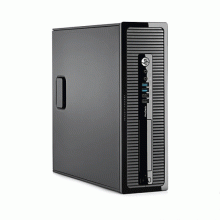
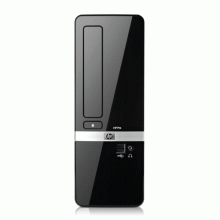
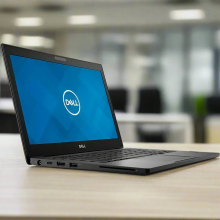
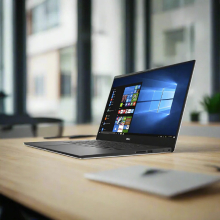
Please allow ~2-3 weeks to dispatch for quality control. Product images are for illustrative purposes only and may contain AI-generated content; they may not represent the final product you receive. Products are subject to the cosmetic grading policy detailed here.
If you are ordering a device that does not include a Windows 11 licence as standard, please check Microsoft's minimum system requirements to confirm if it can be upgraded later should you wish to do so.


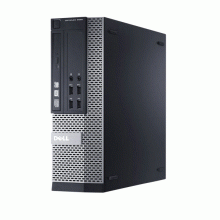
Dell OptiPlex 7040 SFF Desktop Computer
.rbt-desc { font-family: -apple-system, BlinkMacSystemFont, 'Segoe UI', Arial, sans-serif; font-size: 14px; line-height: 1.7; color: #222; }
.rbt-desc .header-block { border-bottom: 3px solid #0060a9; margin-bottom: 28px; padding-bottom: 16px; }
.rbt-desc h1 { color: #0060a9; font-size: 22px; margin: 0 0 8px 0; font-weight: bold; overflow-wrap: break-word; text-wrap: balance; }
.rbt-desc .summary { margin: 0; font-size: 14px; color: #555; }
.rbt-desc h2 { color: #0060a9; font-size: 17px; margin: 30px 0 12px 0; font-weight: bold; padding-bottom: 7px; border-bottom: 1px solid #e0e0e0; overflow-wrap: break-word; text-wrap: balance; }
.rbt-desc p { margin: 0 0 13px 0; }
.rbt-desc ul { margin: 0 0 13px 0; padding-left: 22px; }
.rbt-desc li { margin-bottom: 10px; line-height: 1.65; }
.rbt-desc table { width: 100%; border-collapse: collapse; margin: 14px 0 22px 0; }
.rbt-desc .specs-table th { background-color: #0060a9; color: #fff; padding: 10px 12px; text-align: left; font-weight: bold; font-size: 13px; letter-spacing: 0.3px; }
.rbt-desc .specs-table td { padding: 9px 12px; border: 1px solid #e0e0e0; vertical-align: top; }
.rbt-desc .specs-table tr:nth-child(even) { background-color: #f5f8fb; }
.rbt-desc .specs-table td:first-child { font-weight: bold; width: 32%; background-color: #eef2f7; color: #2c3e60; }
.rbt-desc .comparison-table td { width: 50%; padding: 16px 18px; vertical-align: top; border: 1px solid #e0e0e0; line-height: 1.8; }
.rbt-desc .best-for { background-color: #edf7ee; }
.rbt-desc .not-for { background-color: #fdf0ee; }
.rbt-desc .condition-table th { background-color: #0060a9; color: #fff; padding: 10px 12px; text-align: left; font-size: 13px; letter-spacing: 0.3px; }
.rbt-desc .condition-table td { padding: 9px 12px; border: 1px solid #e0e0e0; vertical-align: middle; }
.rbt-desc .condition-table tr:nth-child(even) { background-color: #f5f8fb; }
.rbt-desc .grade-badge { display: inline-block; padding: 3px 10px; border-radius: 12px; font-weight: bold; font-size: 12px; letter-spacing: 0.3px; white-space: nowrap; }
.rbt-desc .grade-a { background-color: #d4edda; color: #1a5c2e; }
.rbt-desc .grade-b { background-color: #fff3cd; color: #7a5000; }
.rbt-desc .grade-c { background-color: #e9ecef; color: #4a4a4a; }
.rbt-desc .warranty-block { background-color: #f5f8fb; padding: 16px 18px; border-left: 4px solid #0060a9; margin: 16px 0 22px 0; }
.rbt-desc .warranty-block p { margin: 0 0 10px 0; }
.rbt-desc .warranty-block p:last-child { margin: 0; }
.rbt-desc .faq-q { font-weight: bold; color: #0060a9; margin: 22px 0 5px 0; font-size: 14px; }
.rbt-desc .faq-a { margin: 0 0 4px 0; }
Experience professional-grade computing with the Dell OptiPlex 7040 SFF, powered by an Intel Core i5-6500 processor at 3.2GHz, 8GB DDR4 memory, and a lightning-fast 256GB PCIe NVMe SSD. This enterprise-quality desktop computer delivers exceptional performance for business applications, multi-monitor setups, and everyday productivity tasks — all in a space-saving Small Form Factor chassis backed by a comprehensive 12-month warranty from Reboot IT.
What Makes the Dell OptiPlex 7040 a Strong Business Desktop Choice?
- 6th Generation Intel Core i5-6500 Quad-Core Power: The Skylake architecture processor runs at 3.2GHz base frequency with Turbo Boost up to 3.6GHz, delivering robust performance for demanding office applications, multitasking workflows, and business software suites without thermal throttling concerns.
- High-Speed PCIe NVMe SSD Storage: The 256GB M.2 PCIe Class 40 solid-state drive provides exceptional boot times under 15 seconds, near-instantaneous application launches, and superior data transfer speeds compared to traditional SATA SSDs or mechanical hard drives.
- Professional Dual-Display Connectivity: Native support for two monitors simultaneously through DisplayPort and HDMI outputs, enabling extended desktop workflows, financial dashboards, reference material viewing, and enhanced productivity for professionals who require multiple screens.
- Enterprise-Grade Security Features: Integrated TPM 2.0 (Trusted Platform Module) provides hardware-level encryption, secure boot capabilities, and compliance with business security standards including BitLocker drive encryption and Windows Hello authentication protocols.
- Ultra-Compact Space-Saving Design: At just 290 × 92.6 × 292.8 mm and starting from 5.53kg, this Small Form Factor chassis fits effortlessly under desks, in tight workstations, or mounted vertically to maximise valuable office real estate.
- Built-in DVD-RW Optical Drive: Rare in modern compact desktops, the integrated DVD writer supports legacy software installation, data archiving, and multimedia playback for businesses still relying on disc-based workflows and training materials.
How Does the Dell OptiPlex 7040 Perform in Daily Business Use?
The OptiPlex 7040 excels in real-world office environments where reliability and consistent performance matter most. The sixth-generation Core i5-6500 processor handles intensive spreadsheet calculations, complex PowerPoint presentations, and concurrent browser sessions with remarkable stability. Users can expect smooth operation while running Microsoft Office 365, accounting software like QuickBooks or MYOB, and web-based CRM platforms simultaneously without performance degradation.
For businesses requiring multi-monitor productivity, the integrated Intel HD Graphics 530 efficiently drives two Full HD displays at 1920×1080 resolution. This configuration supports financial analysts monitoring market data across multiple screens, designers working with reference materials, or customer service representatives managing multiple applications. The system maintains responsive performance even with 15+ browser tabs, video conferencing through Teams or Zoom, and background email synchronisation running concurrently.
The PCIe NVMe storage architecture delivers substantial performance advantages over older business computers. File searches complete in seconds rather than minutes, large documents open instantly, and system updates install significantly faster. This translates to measurable productivity gains throughout the workday, particularly for document-heavy workflows, database applications, and cloud storage synchronisation tasks that previously created bottlenecks on slower storage systems.
Complete Technical Specifications
| Processor | Intel Core i5-6500 Quad-Core (6th Gen Skylake, 3.2GHz base, 3.6GHz Turbo, 6MB Smart Cache) |
| Memory | 8GB DDR4-2133 SODIMM (1×8GB module, upgradeable to 32GB) |
| Storage | 256GB M.2 PCIe NVMe Class 40 Solid State Drive |
| Graphics | Intel HD Graphics 530 (integrated, shared system memory) |
| Optical Drive | DVD±RW SuperMulti Drive |
| Display Outputs | 2× DisplayPort 1.2, 1× HDMI 1.4 (supports dual monitors up to 1920×1080 @60Hz) |
| USB Ports | 6× USB 3.0, 4× USB 2.0 |
| Network | Gigabit Ethernet (Intel I219-LM), Wi-Fi capability (adapter required) |
| Audio | Integrated HD Audio, 3.5mm headphone/microphone combo jack |
| Security | TPM 2.0 (Trusted Platform Module), Kensington lock slot, chassis intrusion detection |
| Expansion | 1× PCIe x16 slot, 1× PCIe x4 slot, 2× DDR4 memory slots |
| Form Factor | Small Form Factor (SFF) |
| Dimensions | 290 × 92.6 × 292.8 mm (H × W × D) |
| Weight | From 5.53kg (varies by configuration) |
| Operating System | Windows 10 Pro (Windows 11 upgrade eligible) |
| Keyboard | Non-backlit wired keyboard included |
| Power Supply | 180W 80 PLUS Bronze certified |
| Warranty | 12-month comprehensive warranty by Reboot IT |
Is the Dell OptiPlex 7040 Right for Your Needs?
|
✓ Best For: • Office productivity and business applications • Multi-monitor professional workstations • Small business accounting and POS systems • Educational institutions and training centres • Call centres requiring reliable desktop performance |
✗ Not Recommended For: • Gaming or 3D graphics intensive applications • Video editing or high-resolution content creation • CAD software or engineering workloads • Cryptocurrency mining or compute-intensive tasks • Users requiring built-in Wi-Fi connectivity |
Understanding Condition Grades and Battery Health
Reboot IT uses a transparent three-tier grading system to help you choose the right cosmetic condition for your needs. All grades are fully functional and professionally refurbished to identical performance standards, differing only in external appearance from previous corporate use.
| A — Excellent | Minimal wear, no visible scratches | Premium appearance suitable for client-facing environments |
| B — Good | Light usage marks, possible minor scuffs | Professional appearance ideal for standard office use |
| C — Fair | Moderate wear consistent with business use | Fully functional with visible signs of previous corporate deployment |
Unlike laptops, desktop computers do not have internal batteries requiring health monitoring. All OptiPlex 7040 units include standard AC power supplies and maintain consistent performance regardless of cosmetic grade selection.
Frequently Asked Questions About the Dell OptiPlex 7040
What warranty is included with this desktop computer?
Every Dell OptiPlex 7040 comes with a comprehensive 12-month warranty covering all hardware components, provided by Reboot IT. This includes parts, labour, and technical support for complete peace of mind with your refurbished desktop investment.
Can this computer be upgraded with additional memory or storage?
Yes, the OptiPlex 7040 supports memory upgrades up to 32GB using two DDR4 slots, and includes expansion bays for additional storage drives. The system also features PCIe slots for graphics cards or other expansion cards if needed.
Does this model support Windows 11 upgrade?
The Dell OptiPlex 7040 meets Windows 11 minimum system requirements including TPM 2.0, UEFI firmware, and Secure Boot compatibility. The 6th generation Intel processor and 8GB RAM configuration support seamless Windows 11 upgrade when desired.
What display connections are available for monitor setup?
The integrated graphics provide two DisplayPort 1.2 outputs and one HDMI 1.4 port, supporting dual monitor configurations at Full HD resolution. This enables extended desktop setups for enhanced productivity workflows and multi-application viewing.
Is Wi-Fi connectivity built into this desktop computer?
The OptiPlex 7040 includes Gigabit Ethernet for wired network connections but requires a separate Wi-Fi adapter for wireless connectivity. The system provides multiple USB ports for easy Wi-Fi dongle installation if wireless access is needed.
How does the refurbishment process ensure reliability?
Each OptiPlex 7040 undergoes comprehensive testing including component diagnostics, thermal stress testing, and performance benchmarking. Reboot IT's certified technicians verify all ports, drives, and system functions before applying the Verified Refurb certification.
What accessories are included with the desktop?
Your Dell OptiPlex 7040 includes a power cable, non-backlit keyboard, and necessary documentation. Monitors, mice, and additional peripherals are available separately to customise your complete workstation setup according to specific requirements.
Warranty and After-Sales Support
Your Dell OptiPlex 7040 desktop is protected by a comprehensive 12-month warranty provided by Reboot IT, covering all hardware components including the processor, memory, storage drive, optical drive, and integrated graphics.
The warranty includes parts replacement, technical support, and repair services should any hardware issues arise during normal business use. Reboot IT's experienced technical team provides responsive support to minimise downtime and ensure continued productivity.
This coverage reflects our confidence in the rigorous refurbishment process, where each desktop undergoes extensive testing and quality verification before receiving Verified Refurb certification from our certified technicians.
Upgradeability and Compatibility Options
The Dell OptiPlex 7040 offers excellent expansion potential for growing business needs. Memory can be upgraded from the included 8GB to a maximum of 32GB using both DDR4-2133 SODIMM slots. The system includes dedicated expansion bays for additional storage drives, supporting both 2.5-inch SATA SSDs and traditional hard drives for increased capacity.
For enhanced graphics performance, the PCIe x16 slot accommodates low-profile graphics cards suitable for CAD applications or multiple monitor setups beyond the integrated capabilities. The Windows 10 Pro installation is fully compatible with Windows 11 upgrade paths, ensuring long-term software compatibility as business requirements evolve. All major business software suites including Microsoft Office 365, Adobe Acrobat, and industry-specific applications run optimally on this platform.
Optical Drive |
| Manufacturer Warranty | 1 Year |
| Features | None |
| Item Height | None |
| RAM Size | 8GB |
| Graphics Processing Type | Integrated/On-Board Graphics |
| Chipset | None |
| Item Width | None |
| Model | OptiPlex 7040 |
| Type | Desktop |
| Resolution | none |
| Processor | Intel Core i5-6500 3.20 GHz |
| Release Date | None |
| Processor Model | 6500 |
| Colour | None |
| Item Weight | None |
| Storage Type | SSD (Solid State Drive) |
| Optical Drive | None |
| Operating System Edition | Professional |
| SSD Capacity | 120GB |
| Memory Type | DDR4 DIMM |
| Cores | 4 |
| Other Software | None |
| Brand | Dell |
| L2 Cache | None |
| Form Factor | Small Form Factor (SFF) |
| Part Number | 06B9 |
| Screen Size | None |
| Maximum Ram Capacity | None |
| Custom Bundle | No |
| Motherboard Model | None |
| Series | OptiPlex |
| Operating System | Windows 10 Pro |
| RAM Type | DDR4 DIMM |
| Most Suitable For | Office |
| Connectivity | None |
| Max Turbo Speed | None |
| MPN | None |
| Processor Speed | 3.20GHz |
| Release Year | 2016 |
| Hard Drive Capacity | 120GB |
| GPU | Intel HD 530 Graphics |
| Item Length | None |
Refurbished Computers - Cosmetic Grading Guide
Our supplier's refurbished hardware is typically graded either "Excellent" or "Good", however, some legacy products were graded under a letter grading system (A, B, C). Please find the definitions for each grade below and contact us if you're uncertain of a device's grade.
Used Smartphone / Refurbished Mobile Phones
"Excellent" Grade
Devices in this category appear like new, with very minor wear. Expect light or fine scratches on the screen that are shallow enough not to catch on a fingernail. The edge around the glass is virtually flawless, save for possible light scratching around the power port. The back plate may show light/fine scratches, including on the Apple logo, with any discoloration being minimal.
"Good" Grade
These devices are characterized by being fully tested and functional even if they have body scratches, minor paint chips, or a small hairline crack on the screen. Screens are free from dead pixels but may exhibit slight scratching from moderate use.
Refurbished Desktops, Laptops and Monitors
"Excellent" Grade - Laptops
Reserved for units that show barely any signs of previous use, these laptops may exhibit very minor scuffing or abrasions, associated only with minimal standard use. The keyboards show light wear, and importantly, the screens are pristine, free from any scratches, cracks, chips, dead pixels, dark spots, discoloration, or blemishes.
"Excellent" Grade - Desktops
Desktop PCs in the "Excellent" grade category are free from deep scratches, cracks, paint chips, or any broken/missing pieces, ensuring a sleek and almost-new aesthetic.
"Excellent" Grade - Monitors
"Excellent" grade is reserved for units that show evidence of very little to no previous use. Any wear on an "Excellent" Display, including housing/frame and/or external surfaces (i.e. Frame) is associated with standard minimal use. "Excellent" units may have minor scuffing and / or minor abrasions on plastics with from standard light previous use."Excellent" Displays will feature no scratches, cracks, chips, dead pixels, dark spots, discoloration or blemishes. Units will only feature the standard minimal wear and tear that is associated with a used unit.
"Good" Grade - Laptops
"Good" laptops may feature one or several small dings or dents on covers and / or small paint chips on the surface or small hairline cracks in the bezel. Laptop screens may feature uneven light diffusion in screen and may feature subtle blemishes. "Good" Laptops will not feature cracks screens but may feature slight scratching, dead pixels or white spots on the screen.
"Good" Grade - Desktops
"Good" grade desktops may have light scratches on external body and may feature more excessive unit housing and/or external case wear than "Excellent" units, including wear on case / lid. "Good" PCs may feature one or several small dings or dents on covers and / or small paint chips on the surface.
"Good" Grade - Monitors
Displays in the "Good" grade have been fully tested and are functional but may include scratches on body, small paint chips, minor cracks on body, loose and/or wobbly bases. "Good" Display screens may feature uneven light diffusion in screen and may feature subtle to moderate blemishes. "Good" Displays will not feature cracks on screens but may feature slight scratching on screen surfaces from moderate use or wear, dead pixels or white spots on the screen.
Legacy letter grading
Used Smartphone / Refurbished Mobile Phones
A Grade
- No chips, scratches or cracks on the front glass and housing
- No missing or alternative parts
- No sign of liquid damage
- Battery cannot be swollen
B Grade – Same as A Grade except:
- May have light scuffs but no chips or cracks
- Light scratches on housing or front glass
C-Grade – Same as B Grade except:
- Unlimited long shallow scratches on the front glass
- No chips or cracks on the front glass
- Unlimited scratches, chips/dents on back cover housing and corners
- Minor cracks allowed
- Customized housing and aftermarket covers allowed
Refurbished Desktops, Laptops and Monitors
A-Grade
- Overall excellent to very good cosmetic condition. Some may be pristine, others may have light scratches or minor blemishes
- Laptops may have some shiny areas around the keyboard such as the space bar, touchpad or touchpad buttons
- Keyboard keys will be in excellent condition
- Laptop and monitor screens will be blemish free
- Cosmetic blemishes will not impact the overall functionality or performance of the device
B-Grade
- Will have some cosmetic blemishes that include scratches and/or other imperfections
- Minor scratches and dents on the housing
- Laptops may have shiny keys or shiny surfaces around the keyboard however all characters will be legible
- Laptop and monitors screens will have imperfections such as minor scratches, minor chips and/or white spots. There will be no cracking on the screen
- Have the same warranty as A Grade
- Pricing will be cheaper than A Grade
C-Grade
- Same as B-Grade except may have unlimited scratches/blemishes on the screen
- May have cracks/chips or dents on the housing
- Have the same warranty as A Grade
- Pricing will be cheaper than B Grade