


-
 Arctera System Recovery 18 is a backup and recovery solution that uses disk imaging technology to protect servers. It takes snapshots of entire hard disks that can be saved to almost any type of storage media or converted to virtual disks. When recovery is needed, these snapshots (called recovery points) can be restored to either the same hardware configuration or a different hardware setup. This donation provides one license, which allows an organization to back up any number of devices. Only one license is required per organization. Benefits for Organizations Regular backups can protect your organization against a data-loss catastrophe. If you have experience with system administration, you can restore an entire system or individual files and folders if a disaster renders servers inoperable.$244.00 ex GSTThis product is out of stock
 -
 Generation-e is a leading unified networks company. By integrating voice, video and data on a single secure network, Generation-e helps organisations reduce their operating costs, boost productivity and protect corporate information. At the forefront of business solutions, Generation-e represents leading vendors in unified communications. With a nationwide presence our solutions cover design, implementation, financing and support. We provide a full range of support services from helpdesk to outsourced IT expertise. Generation-e has been delivering high quality solutions since 2004. As a rapidly growing, Australian owned business, our commitment is to delivering world-class IT services. With a focus on Unified Communications, we are uniquely positioned to deliver the most innovative solutions that in each instance exceed our clients' expectations.
 -
Download slides here With the recent growth of cloud based and online systems, many community organisations are weighing up their options for moving to the cloud or continuing to rely on local server infrastructure. This webinar will help small and medium community organisations to assess the suitability of cloud based systems and determine what local infrastructure may still be required. The webinar will also explore how to select and manage your internet connection, PCs and mobile devices to ensure it is suitable for your organisation's needs. In this webinar, you will learn:Recorded some time ago.Watch now
-
 ADManager Plus is a unified web-based solution for all your Active Directory (AD), Exchange, Skype for Business, G Suite, and Microsoft 365 management needs. It also offers more than 150 predefined reports including reports on AD, Microsoft 365 and NTFS permissions; a custom workflow structure to streamline AD operations and automation for routine tasks such as AD cleanup.Provided by ManageEngine
 -
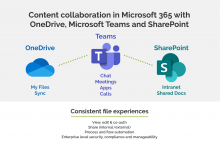 By participating in this webinar, you will be able to: Evaluate the best option to suit your needs when file sharing Discuss why one option stands out as the preferred option when file sharing Weigh up different considerations when file sharing internally and externally to ensure the best fit solution is selected.Past webinar.Recorded on 30 Mar, 2022 1:00pm - 1:30pm.Watch now
 -
This webinar will showcase the commonly features in the OneNote application as relevant to Connecting Up’s staff usage. What is not included? How to instructions or user manuals that are already available on Microsoft’s Help site. Course Outcomes: By the end of this webinar your organisation will have: An understanding of how OneNote is utilised for note taking & organising. A preview of OneNote’s organisational capability. A preview of how OneNote is utilised for collaboration. A preview of OneNote’s drawing & writing feature. Audience - Who is the webinar suitable for? Connecting Up Web Series: We Use OneNote is suitable for anyone in the not for profit and community organisations that is curious to see how OneNote is utilized to take notes, organise work and information, collaborate and draw. About the Presenter: https://www.linkedin.com/in/joannaretnam/ Joanna Retnam joined Connecting Up in June 2018. Joanna has almost a decade of experience in the NFP sector working both as Business Systems Manager for a medium sized NFP and Head of Global Services Innovation with a software vendor specialising in case/client management software for the NFP sector. She has years of experience in design thinking, IT methodology, implementation, change management and Six Sigma working with global brands such as Sony. Joanna has been using OneNote since 2012 and is a huge advocate of the application as it allows her to easily organise and keep track of her many pieces of work.Recorded some time ago.Watch now
-
Microsoft Office 365 in the Cloud offers many not-for-profits significant benefits. This presentation gives an overview of the features of Office 365, explores the benefits other organisations have gained from making the move to the Cloud and identify factors that organisations should consider when planning the move to Office 365.Recorded some time ago.Watch now
-
As part of the Office 365 subscription, not-for-profits are able to use Microsoft’s SharePoint Online collaboration platform for free. Often synonymous with Intranets, SharePoint is a powerful and diverse tool that can provide many collaboration, communication and process improvements to your organisation. This webinar is ideal for organisations who would like to learn more about what SharePoint is and does, and provides valuable insights and best-practice tips, crucial to a successful SharePoint implementation.Recorded some time ago.Watch now
-
As part of the Office 365 subscription, not-for-profits are able to use Microsoft’s SharePoint Online collaboration platform for free. Often synonymous with Intranets, SharePoint is a powerful and diverse tool that can provide many collaboration, communication and process improvements to your organisation. This webinar is ideal for organisations who would like to learn more about what SharePoint is and does, and provides valuable insights and best-practice tips, crucial to a successful SharePoint implementation.Recorded some time ago.Watch now