


-
 Email remains a primary driver of communications at most organisations, but the way we work has changed dramatically. We read and send emails from home, the grocery store, and the cafe using whatever device is most convenient in the moment: phone, laptop, tablet. Sometimes we don't have a dedicated office, or dedicated IT teams. Working from multiple locations using multiple devices means that security on those devices and their doorways into your systems needs to be super locked down and manageable centrally. Remember that time your staff member lost their laptop and you had to suddenly figure out if it was going to create a major security risk for your organisation? That is exactly why Connecting Up strongly recommends not-for-profits move their email and other critical systems to the cloud, and Office 365 is the most popular cloud software available through Connecting Up.Posted on 06/10/2021 by
 -
 In-line with the current Covid-19 crisis and the impact it is having on various organisations across the world, ManageEngine is offering two products for free.Posted on 31/03/2020 by
 -
 The MA-CBL-TEMP-GL-1 is a glycol-encased temperature probe for the MT11 indoor temperature probe sensor. It buffers out momentary changes to report the temperature of perishable goods more accurately inside refrigerated environments. See the official product specifications for the MA-CBL-TEMP-GL-1 at the Meraki website.$18.00 ex GSTIn stock
-
Date: Wednesday, 14th September 2022 Time: 1:00 – 1:30PM AEST Price: Free Course Outcomes: By the end of this webinar your will have an understanding of the following topics: Scheduling your own Microsoft Teams meetings Incorporating polls into meetings and webinars Recording and sharing meeting and webinar content Activating live captions for accessibility Navigating break out rooms. What is not included in the program? Advanced Microsoft Teams Meeting organiser features such as webinars and surveys. Audience This webinar is suitable for: NFP staff who are comfortable participating actively in online Microsoft Teams meetings and are wanting to hone their skills when presenting.Past webinar.Recorded on 14 Sep, 2022 1:00pm - 1:30pm.Watch now
-
Learn how a constituent management (CRM) system can be used to help you connect and manage your community better.Recorded some time ago.Watch now
-
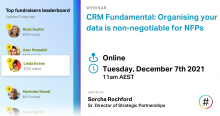 By the end of this webinar you will have an understanding of how to: An understanding of digital organising and how it can help you A clear picture of how to interact with data to engage your community Ladder of engagement and how to use that to deepen relationships with your communityPast webinar.Recorded on 7 Dec, 2021 11:00am - 12:00pm.Watch now
-
 During this session we will cover: learn quickly – ‘How TO’s, guides. Strategies and content to help them self-educate and how to set up a correct security posture..Past webinar.Recorded on 25 Nov, 2021 11:00am - 12:00pm.Watch now
 -
 Date: Wednesday, 24th Aug 2022 Time: 1:00PM - 1:30PM (AEST) Price: Free Course Information: By the end of this webinar, you will be able to: Interact with other meeting participants using the chat feature Navigate different participant views Determine your preferred participant view Understand the difference between sharing your desktop versus sharing an App Share audio with your desktop Change your background Mute your sound Identify the source of background noise to request your fellow meeting attendee to mute. Course Outcomes: By the end of this webinar, your will be able to contribute effectively to meetings using the functionality available within Microsoft Teams.Past webinar.Recorded on 24 Aug, 2022 1:00pm - 1:30pm.Watch now
 -
 “I would highly recommend any charity doing an IT strategy to get in touch with Connecting Up and TechSoup New Zealand. We had been looking at band aids and were struggling to find a long-term solution to our IT problems, but In a year’s time we will be in a totally different position.” Multiple Sclerosis Auckland Business Manager Mark Blackie doesn’t mince his words when asked how useful he found Connecting Up and TechSoup New Zealand’s new IT Strategy on a Plate program. “The facilitator, Sandra, was amazing and went above and beyond what we could ever have expected from a private consultant,” he adds. “The big difference now is that we actually have a plan and are moving forward with it. Long term this will mean greater efficiencies and services and overall better support for people with Multiple Sclerosis.”Posted on 14/08/2018 by