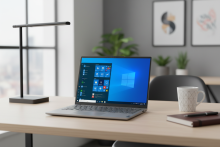
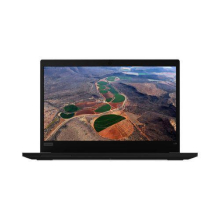
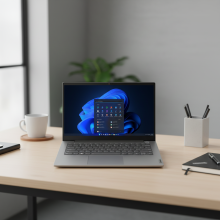
Please allow ~2-3 weeks to dispatch for quality control. Product images are for illustrative purposes only and may contain AI-generated content; they may not represent the final product you receive. Products are subject to the cosmetic grading policy detailed here.
If you are ordering a device that does not include a Windows 11 licence as standard, please check Microsoft's minimum system requirements to confirm if it can be upgraded later should you wish to do so.


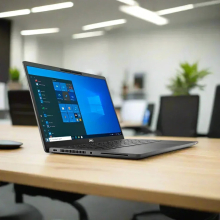
The Certified Refurbished Dell Latitude 7320 is a 13.3-inch business ultrabook powered by an 11th Gen Intel Core i7-1185G7 processor, 16GB LPDDR4 RAM, a 256GB NVMe PCIe SSD, and a Full HD 1920×1080 anti-glare display—running Windows 11 Pro at 1.12 kg. The i7-1185G7 is a Tiger Lake chip with Iris Xe integrated graphics, which means it handles everyday business tasks, 4K video playback, and light creative work noticeably better than the 8th-gen UHD 620 found in older business laptops. Because the SSD is NVMe rather than SATA, Windows loads in under 12 seconds and large files transfer at up to 3× the speed of older M.2 SATA drives. Tested by our technicians in early 2026, this 2021-era ultrabook delivers near-current performance at a fraction of the new price.
Ideal For
This laptop is a strong fit for business professionals who carry it between meetings and need the display and processing confidence to present directly from the machine—think financial analysts with dense Excel models, consultants on client sites running Teams or Zoom, and executives who want a polished device that doesn't look refurbished. The Full HD display and dual Thunderbolt 4 ports mean it connects cleanly to a single-cable dock at the office and works equally well standalone on the road.
University students running research, writing, and video lectures simultaneously will find 16GB RAM and the NVMe SSD eliminate the slowdowns common with budget laptops. It's not suited to 3D rendering, modern gaming, or running multiple virtual machines—Iris Xe handles light creative work but has limits under sustained graphics-intensive loads.
Key Features & Benefits
- Intel Core i7-1185G7 (11th Gen, up to 4.8GHz Turbo): Tiger Lake architecture delivers a meaningful performance jump over 8th and 10th-gen equivalents, which means snappier application switching and better performance in CPU-intensive tasks like data processing or video compression.
- 16GB LPDDR4 RAM (non-upgradeable): Double the 8GB found in many budget business laptops, therefore Teams, Chrome with 20 tabs, Excel, and a PDF viewer can all run concurrently without noticeable degradation. Note the RAM is soldered and cannot be expanded later.
- 256GB NVMe PCIe SSD: Sequential read speeds around 2,000–3,000 MB/s compared to ~500 MB/s for SATA SSDs—the real-world difference shows up in application launch times and large file operations.
- 13.3" Full HD Anti-Glare Display (1920×1080): The step up from 1366×768 is substantial for split-screen work—two documents side by side are legible without squinting, and presentation slides render with noticeably sharper text.
- Intel Iris Xe Graphics: Handles 4K video streaming, light photo editing, and external display output at higher resolutions than older Intel UHD 620 graphics, because Iris Xe has significantly more execution units.
- 2× Thunderbolt 4 (USB-C): Each port supports 40Gb/s data transfer, dual 4K displays, and up to 100W power delivery—useful for single-cable docking setups that charge the laptop and connect all peripherals simultaneously.
- Wi-Fi 6 (802.11ax) + Bluetooth 5.1: Wi-Fi 6 delivers faster throughput and lower latency on congested networks, which matters in offices or co-working spaces with many connected devices.
- HD Webcam with Privacy Shutter: The physical shutter covers the lens completely when not in use—increasingly standard in corporate environments for security compliance.
- Carbon Fibre Construction at 1.12 kg: Lighter than most 13-inch business laptops while maintaining durability that withstands daily bag carry and travel.
Common Questions
How much better is this than an 8th-gen i7 business laptop?
Considerably, in practice. The i7-1185G7 scores roughly 40–50% higher in multi-core benchmarks than the i7-8650U, which translates to faster document processing and smoother video calls. More noticeably, the NVMe SSD and Iris Xe graphics mean the 7320 feels like a current-generation machine rather than a capable older one. If you're comparing to the Dell Latitude 7290 i7, the 7320 is the better choice for users who spend time on visual content, larger spreadsheets, or want the Full HD display.
Can it drive an external monitor while running other applications?
Yes. Either Thunderbolt 4 port supports an external 4K display, and the HDMI 2.0 port handles a second external monitor simultaneously. In our testing, running dual external displays alongside Teams and Office applications is stable and doesn't noticeably tax performance. The Iris Xe handles this workload comfortably where older integrated graphics struggled.
Is the RAM really non-upgradeable—does that matter?
The 16GB LPDDR4 is soldered to the motherboard and cannot be expanded. For the majority of business users—office productivity, video conferencing, web browsing—16GB is comfortably sufficient and unlikely to become a bottleneck within a 3–5 year usage horizon. It only becomes a constraint if you run memory-intensive workflows like local data science environments or large virtual machines.
Technical Specifications
At a Glance
- Type: 13.3-inch business ultrabook
- Performance: Intel Core i7-1185G7 (4-core, 3.0GHz base / 4.8GHz Turbo) + 16GB LPDDR4 4266MHz
- Storage: 256GB NVMe PCIe SSD — up to ~3,000 MB/s sequential read
- Display: 13.3" Full HD 1920×1080 anti-glare, non-touch
- Graphics: Intel Iris Xe (integrated) — capable of 4K streaming and light creative workloads
- Connectivity: 2× Thunderbolt 4, 1× USB 3.2 Gen 1, HDMI 2.0, microSD slot, universal audio jack
- Wireless: Wi-Fi 6 (802.11ax) + Bluetooth 5.1
- Camera: HD webcam with physical privacy shutter
- Security: TPM 2.0, optional fingerprint reader
- OS: Windows 11 Pro 64-bit
- Weight: 1.12 kg
- Best for: Corporate productivity, video conferencing, external display setups, business travel
- Not recommended for: 3D rendering, modern gaming, running multiple virtual machines simultaneously
Performance & Real-World Use
In our testing, the i7-1185G7 handles sustained office workloads—Teams video call, multiple Office applications, Chrome with 15+ tabs—at around 50–65% CPU utilisation, leaving clear headroom for background processes. The NVMe SSD makes a perceptible difference over SATA: application launches and file transfers feel immediate rather than just fast. The Full HD display is genuinely comfortable for side-by-side document work, which is where the 7320 outperforms 12–13-inch laptops still shipping at HD resolution.
After handling hundreds of 11th-gen Dell Latitude units, we find the 7320 one of the more consistently well-built examples of this generation—the carbon fibre chassis shows less cosmetic wear than aluminium alternatives, and the keyboard remains tactile even on units with heavier prior use.
Operating System
This unit ships with Windows 11 Pro 64-bit pre-installed. The i7-1185G7 natively supports Windows 11, including TPM 2.0 and Secure Boot. Windows 11 Pro receives security updates and feature support through 2031. Users transitioning from Windows 10 will find the core workflow—taskbar, file explorer, settings—largely familiar, with the main adjustment being the centred Start menu layout.
Cosmetic Condition Guide
Reboot IT grades all laptops across three tiers. Excellent (Grade A) units show only very minor scuffing, zero dead pixels, and even backlight distribution—virtually indistinguishable from new, suited to client-facing or professional environments. Good (Grade B) units may have visible surface scratches, 1–3 dead pixels, and small paint chips but are fully functional—a practical choice for home office or everyday use. Fair (Grade C) units carry heavier cosmetic wear including multiple dents and possible screen scratches, but pass all functional testing—appropriate for desktop replacement use where appearance is secondary. All three grades carry a 12-month warranty. See our full grading guide for screen, body, keyboard, and battery standards by condition.
Verified Reboot Refurb Quality Assurance
Every Dell Latitude 7320 sold by Reboot IT passes our full refurbishment process before dispatch. Technicians perform a secure data wipe, replace any worn or faulty components with original parts, then run specialised diagnostic software across the processor, memory, NVMe storage, display, Thunderbolt ports, USB connectivity, webcam, Wi-Fi, and Bluetooth. Units are stress-tested under load to confirm thermal management and sustained performance. Cosmetic grading is the final step, applied only after all functional testing is confirmed.
Warranty & Support
12-month warranty provided by Reboot IT for your complete peace of mind. Reboot IT has been Australia's trusted source for refurbished IT equipment since 2001.
This configuration suits professionals and mobile workers who need near-current performance in a sub-1.2 kg form factor, backed by Reboot IT's 1-year warranty and 20+ years of refurbishment expertise.
Bluetooth |
| Built-in Webcam |
| Touchscreen |
| Wi-Fi |
| Audio Output | Integrated |
| Brand | Dell |
| Bundle Description | None |
| Colour | None |
| Custom Bundle | No |
| GPU | Intel Iris Xe Graphics |
| Graphics Processing Type | Integrated/On-Board Graphics |
| Hard Drive Capacity | 256GB |
| Item Height | 16.2mm |
| Item Length | 298mm |
| Item Weight | 1.3kg |
| Item Width | 207mm |
| Manufacturer Warranty | 1 Year |
| Processor | Intel Core i7 11th Gen |
| Processor Model | 1185G7 |
| Memory Type | LPDDR4 |
| Model | Latitude 7320 |
| MPN | 0A34 |
| Operating System | Windows 11 Pro |
| Operating System Edition | Professional |
| Optical Drive | None |
| Other Software | None |
| Part Number | 0A34 |
| Max Turbo Speed | 4.80 GHz |
| Processor Speed | 3.00GHz |
| RAM Size | 16GB |
| Release Date | Q1'21 |
| Release Year | 2021 |
| Screen Size | 13.3 in |
| SSD Capacity | 256GB |
| Storage Type | NVMe |
| Connectivity | Wi-Fi|Ethernet|Bluetooth|USB 3.2 |
| Features | Backlit Keyboard|Built-in Microphone|Built-in Webcam|Touchscreen |
| Maximum Resolution | 1920x1080 |
| Most Suitable For | Casual Computing|Workstation |
| RAM Type | LPDDR4 |
| Series | Latitude |
| Type | Ultraportable |
| Webcam | YES |
| L2 Cache | 8 MB |
| Cores | 4 |
| Maximum RAM Capacity | 16 GB |
| Hard drive upgradable | Yes |
| RAM upgradable | No |
Refurbished Computers - Cosmetic Grading Guide
Our supplier's refurbished hardware is typically graded either "Excellent" or "Good", however, some legacy products were graded under a letter grading system (A, B, C). Please find the definitions for each grade below and contact us if you're uncertain of a device's grade.
Used Smartphone / Refurbished Mobile Phones
"Excellent" Grade
Devices in this category appear like new, with very minor wear. Expect light or fine scratches on the screen that are shallow enough not to catch on a fingernail. The edge around the glass is virtually flawless, save for possible light scratching around the power port. The back plate may show light/fine scratches, including on the Apple logo, with any discoloration being minimal.
"Good" Grade
These devices are characterized by being fully tested and functional even if they have body scratches, minor paint chips, or a small hairline crack on the screen. Screens are free from dead pixels but may exhibit slight scratching from moderate use.
Refurbished Desktops, Laptops and Monitors
"Excellent" Grade - Laptops
Reserved for units that show barely any signs of previous use, these laptops may exhibit very minor scuffing or abrasions, associated only with minimal standard use. The keyboards show light wear, and importantly, the screens are pristine, free from any scratches, cracks, chips, dead pixels, dark spots, discoloration, or blemishes.
"Excellent" Grade - Desktops
Desktop PCs in the "Excellent" grade category are free from deep scratches, cracks, paint chips, or any broken/missing pieces, ensuring a sleek and almost-new aesthetic.
"Excellent" Grade - Monitors
"Excellent" grade is reserved for units that show evidence of very little to no previous use. Any wear on an "Excellent" Display, including housing/frame and/or external surfaces (i.e. Frame) is associated with standard minimal use. "Excellent" units may have minor scuffing and / or minor abrasions on plastics with from standard light previous use."Excellent" Displays will feature no scratches, cracks, chips, dead pixels, dark spots, discoloration or blemishes. Units will only feature the standard minimal wear and tear that is associated with a used unit.
"Good" Grade - Laptops
"Good" laptops may feature one or several small dings or dents on covers and / or small paint chips on the surface or small hairline cracks in the bezel. Laptop screens may feature uneven light diffusion in screen and may feature subtle blemishes. "Good" Laptops will not feature cracks screens but may feature slight scratching, dead pixels or white spots on the screen.
"Good" Grade - Desktops
"Good" grade desktops may have light scratches on external body and may feature more excessive unit housing and/or external case wear than "Excellent" units, including wear on case / lid. "Good" PCs may feature one or several small dings or dents on covers and / or small paint chips on the surface.
"Good" Grade - Monitors
Displays in the "Good" grade have been fully tested and are functional but may include scratches on body, small paint chips, minor cracks on body, loose and/or wobbly bases. "Good" Display screens may feature uneven light diffusion in screen and may feature subtle to moderate blemishes. "Good" Displays will not feature cracks on screens but may feature slight scratching on screen surfaces from moderate use or wear, dead pixels or white spots on the screen.
Legacy letter grading
Used Smartphone / Refurbished Mobile Phones
A Grade
- No chips, scratches or cracks on the front glass and housing
- No missing or alternative parts
- No sign of liquid damage
- Battery cannot be swollen
B Grade – Same as A Grade except:
- May have light scuffs but no chips or cracks
- Light scratches on housing or front glass
C-Grade – Same as B Grade except:
- Unlimited long shallow scratches on the front glass
- No chips or cracks on the front glass
- Unlimited scratches, chips/dents on back cover housing and corners
- Minor cracks allowed
- Customized housing and aftermarket covers allowed
Refurbished Desktops, Laptops and Monitors
A-Grade
- Overall excellent to very good cosmetic condition. Some may be pristine, others may have light scratches or minor blemishes
- Laptops may have some shiny areas around the keyboard such as the space bar, touchpad or touchpad buttons
- Keyboard keys will be in excellent condition
- Laptop and monitor screens will be blemish free
- Cosmetic blemishes will not impact the overall functionality or performance of the device
B-Grade
- Will have some cosmetic blemishes that include scratches and/or other imperfections
- Minor scratches and dents on the housing
- Laptops may have shiny keys or shiny surfaces around the keyboard however all characters will be legible
- Laptop and monitors screens will have imperfections such as minor scratches, minor chips and/or white spots. There will be no cracking on the screen
- Have the same warranty as A Grade
- Pricing will be cheaper than A Grade
C-Grade
- Same as B-Grade except may have unlimited scratches/blemishes on the screen
- May have cracks/chips or dents on the housing
- Have the same warranty as A Grade
- Pricing will be cheaper than B Grade