


-
 Microsoft Products Must Be Downloaded Within Five Days After your request for this product is approved and the licenses are made available to you, you will have five days to download the product and license keys. To avoid a delay in access to your products, please follow the instructions we provide to obtain your products from the Microsoft 365 admin center as soon as they are available. PowerPoint for Mac is a tool for designing, preparing, presenting, and publishing slide shows and presentations. It is also one of the applications included in the Office for Mac suite.$143.00 ex GSTIn stock
 -
 An Azure DevOps Server user CAL authorizes a user to access Azure DevOps Server (formerly Visual Studio Team Foundation Server) from any device. For example, an employee could access the server from a computer at work and another at home. This offer provides one user CAL. Device CALs are also available. The Microsoft Developer Network (MSDN) subscription that is bundled with Visual Studio editions available through Connecting Up and TechSoup New Zealand provides one Azure DevOps Server CAL. Other users need an Azure DevOps Server user or device CAL to access Azure DevOps Server. Examples are users of Visual Studio Team Explorer (available as a free download from Microsoft), Visual Studio Team Explorer Everywhere, or Visual Studio Online.$437.00 ex GSTIn stock
 -
 An Exchange Server Standard user client access license (CAL) authorizes one user to access Exchange Server Standard or Enterprise edition from any device. For example, an employee might access the server from a computer at work and another at home. This offer provides one Standard user CAL. Standard device CALs for licensing computers and additive Enterprise CALs (user and device) for accessing additional features are also available. Additional Information For additional information about Exchange Server and the server and client licensing requirements, see the Guide to Exchange Server Editions and Licensing.$58.00 ex GSTIn stock
-
 A Skype for Business Server Plus device client access license (CAL) can be used only in conjunction with a Skype for Business Server Standard device CAL. It authorizes one computer or other device to access enterprise telephony features in Skype for Business Server, regardless of the number of users (for example, on a shared workstation). This offer provides one Plus device CAL. Plus user CALs and Enterprise user and device CALs for accessing additional features are also available. Major Capabilities The Plus CAL provides access to the following features in Skype for Business Server. Voice telephony Call management Additional Information An Enterprise CAL is required for audio, video, and web conferencing; desktop sharing; room systems; and multiple HD video streams. Enterprise CALs can only be used in conjunction with Standard CALs.$92.00 ex GSTIn stock
 -
 Microsoft Products Must Be Downloaded Within Five Days After your request for this product is approved and the licenses are made available to you, you will have five days to download the product and license keys. To avoid a delay in access to your products, please follow the instructions we provide to obtain your products from the Microsoft 365 admin center as soon as they are available. System Center Standard is a set of server management licenses (MLs) and software for managing applications and services across physical, virtual, and cloud information technology (IT) infrastructures. The Standard edition is designed for managing physical and lightly virtualized System Center environments.$1,094.00 ex GSTIn stock
 -
 The Core User CAL Suite is a set of four user client access licenses (CALs) and two user client management licenses (MLs). Together they provide user licensing for key Microsoft server technologies. A user CAL authorizes a user to access a server from any device (for example, when an employee accesses the server from a computer at work and another at home). A user client ML licenses the management of any number of OSEs, as long as only one user has access to them. If more than one user has access to a certain OSE or set of OSEs, an ML is necessary for each user. See below for details on the CALs and client MLs included with this product. Benefits for Organisations You can request this suite to user workstation licensing for six popular server products. You'll also obtain the rights to download and install management server software for Microsoft Endpoint Configuration Manager, System Center Virtual Machine Manager, and System Center Endpoint Protection.$217.00 ex GSTIn stock
-
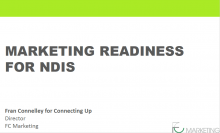 There are over 2,000 disability providers in Australia who are currently facing massive change due to the introduction of the National Disability Insurance Scheme in June 2016. The NDIS is a generational reform is transforming the entire disability sector as it places people with a disability in the driver’s seat with respect to planning and purchasing their support services. The dominant problems now facing many disability providers include:Watch now
 -
 Microsoft Products Must Be Downloaded Within Five Days After your request for this product is approved and the licenses are made available to you, you will have five days to download the product and license keys. To avoid a delay in access to your products, please follow the instructions we provide to obtain your products from the Microsoft 365 admin center as soon as they are available. SQL Server Standard Edition with server/CAL licensing is relational database server software offering tools for data storage, management, analysis, and reporting.$1,115.00 ex GSTIn stock
 -
 Your website is the body of your online presence, and the words in it are the beating heart and soul of your non-profit. Words are powerful. They drive action, inspire generations, and create change. That is, of course, when used with clarity and purpose. This webinar will walk you through the fundamentals of content creation, how to find the phrases that will tick ‘Google's boxes’ -aka SEO-, and create a content plan around them. You’ll also learn the Top 3 Content Mistakes, plus easy steps to avoid them. Course Outcomes: By the end of this webinar your organisation will have: ● Learnt about an accessible and powerful keyword planning tool -KeySearch ● Know how to review and fix the mistakes in your current content ● Learn the importance of using keywords and maintaining your voice This course is suitable for: ● CEOs/Managers in not-for-profit sector ● Accidental I.T person within an organisation ● Anyone responsible for adding copy or content to the website. Includes: Live access to the workshop, participation in live Q&A session and ability to submit questions and problems for discussion prior, access to post workshop recordings and slides as well as any additional templates provided by the trainer. What is not included in the program? This is not a writing or SEO tutorial, although participants will learn to review and improve their website content.Recorded some time ago.Watch now